

Safe student transport, with parents on board
The first automated platform built to make school transportation safe, reliable, and transparent — live bus tracking with per-child arrival times, QR-code check-in, optimized routes, and a dedicated app that keeps parents connected every morning and afternoon.
From the bus leaving to the child arriving
Six steps connecting the school, the driver, the student and the parent across a single trip.
Trip Starts
Driver starts the assigned trip and the school gains real-time visibility.
Live Tracking & ETA
The bus is tracked in real time, with location and expected arrival information available throughout the journey.
Student Check-In
Student boarding is recorded, giving the school visibility into who is on board.
Parent Updated
Parents receive relevant journey updates and know when their child has boarded or the bus is approaching.
Journey Monitored
The school monitors the route, stops, vehicle movement, and relevant trip events.
Safe Drop-Off
Student drop-off is recorded and the completed journey remains available for review.
At Home → On the Bus → At School
JoTrack School tracks every student's state through the whole journey — parents, drivers, and the school office all see the same live picture, in Arabic and English.
One minute inside JoTrack School
Bus tracking, arrival alerts, and the Parents App — watch the whole journey.
Peace of mind, in every parent's pocket
Parents stay in the loop from the first stop to the last — no phone calls, no guessing.
Live Tracking & ETA
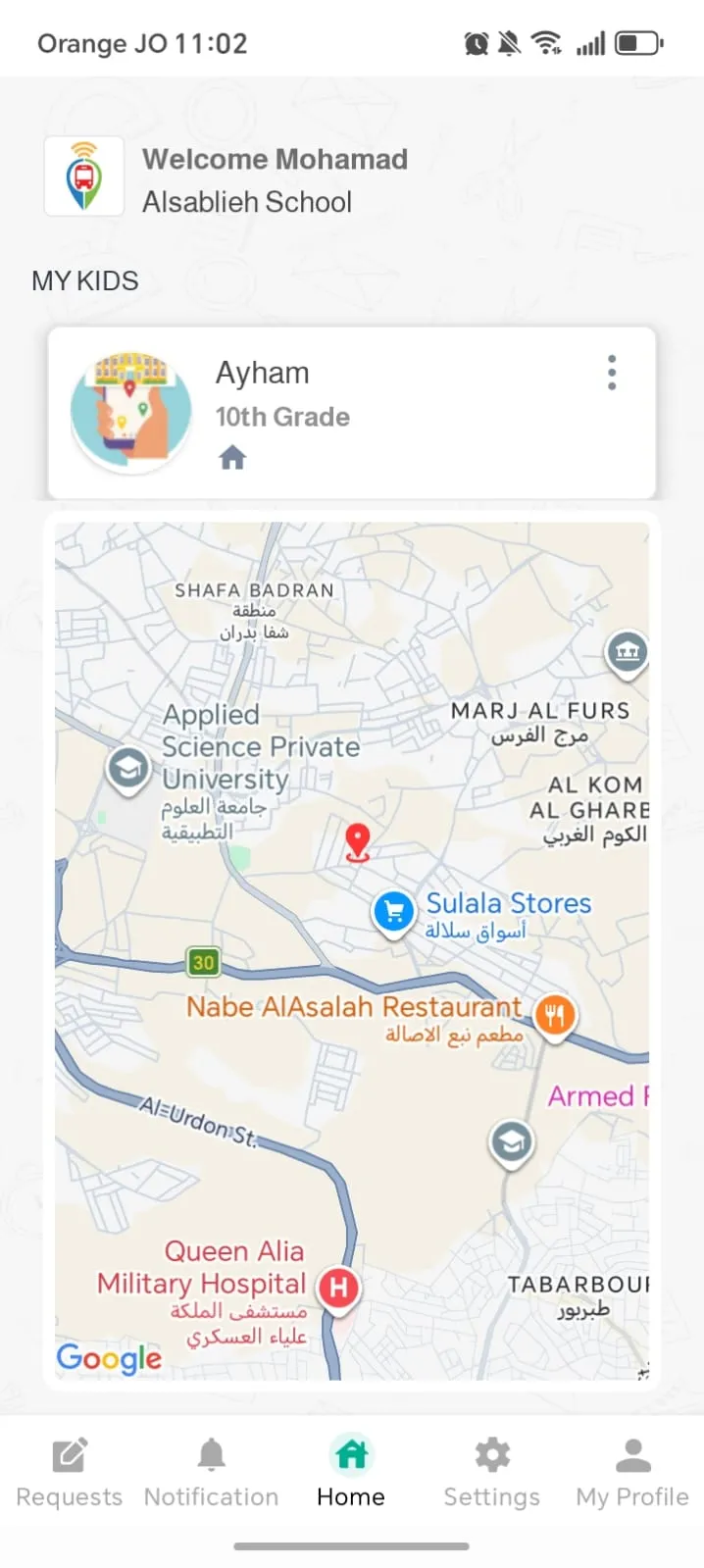
Follow the bus in real time and see exactly how many minutes it is away from your child's stop.
Arrival Alerts
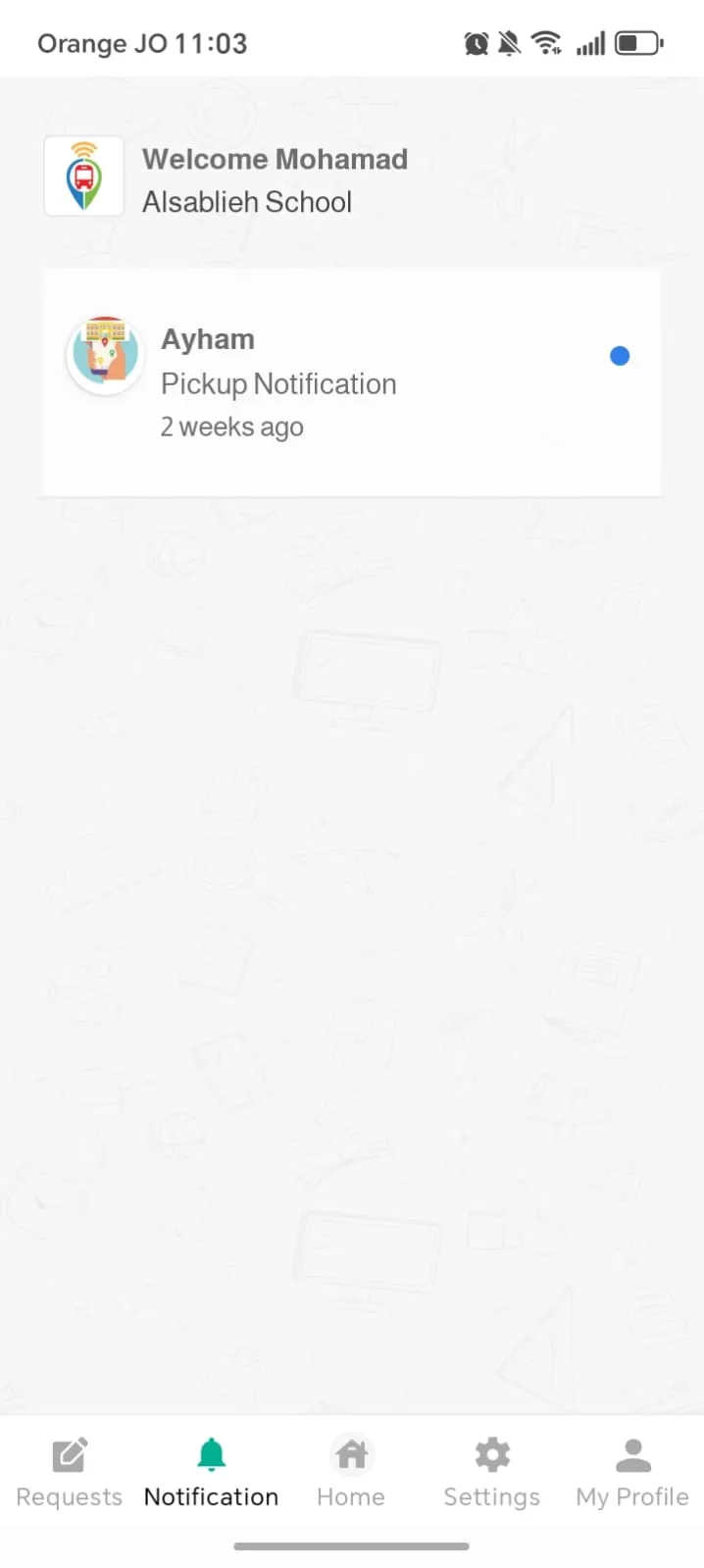
Automatic notifications the moment the bus approaches your stop, when your child boards, and when they arrive safely.
Absence in One Tap
Report an absence for a day or a date range — your child is automatically skipped from that day's route.
Pickup & Drop-off Control
Saved locations, a one-time change for today, or "I'll drive them myself" — requests go straight to the school for approval.
Direct Line
Call the bus supervisor with one tap — and receive every update as a push notification or SMS.
Lost & Found
Something left on the bus? Report it and track it from the app until it's back in your child's bag.
Every seat accounted for — automatically
Trips run themselves: the roster, the route, and the roll call are all on the supervisor's screen.
QR-Code Check-in
Every student carries a QR code on their school bag — the supervisor scans it at boarding and drop-off, and every ride is logged in seconds. The same codes keep school excursions safe.
Trip Control & Roster
Start and end trips, see the full student list per route, and confirm every pickup and drop-off with a tap.
Guided Navigation
Turn-by-turn directions following the optimized stop order — with separate morning and evening sequences.
Live GPS Streaming
The bus position streams live to the school office and to every parent — with each student's status updating in real time.
Run the whole operation from one dashboard
Everything the transport manager needs — from route planning to incident review — in one bilingual portal.
Live Dashboard
Every bus on one live map with alerts and operational counts — the whole fleet at a glance.
Auto Route Optimization
Routes build themselves from student addresses — buses assigned by capacity and stops, with optimized morning and evening orders.
Trip Replay
Replay any trip's full GPS track — moves, stops, and notifications on a timeline — for incident review and proof of service.
Students, Parents & Buses
Full registries with Excel import and export, parent groups, and multi-school support in one system.
Reports Suite
Students, trips, requests, notifications, and lost items — filter anything and export it to Excel.
Requests & Broadcasts
Approve parent requests from one queue, and broadcast push campaigns to every parent in seconds.
See JoTrack School in action
Real screens from the live platform — the same views your transport office gets on day one.
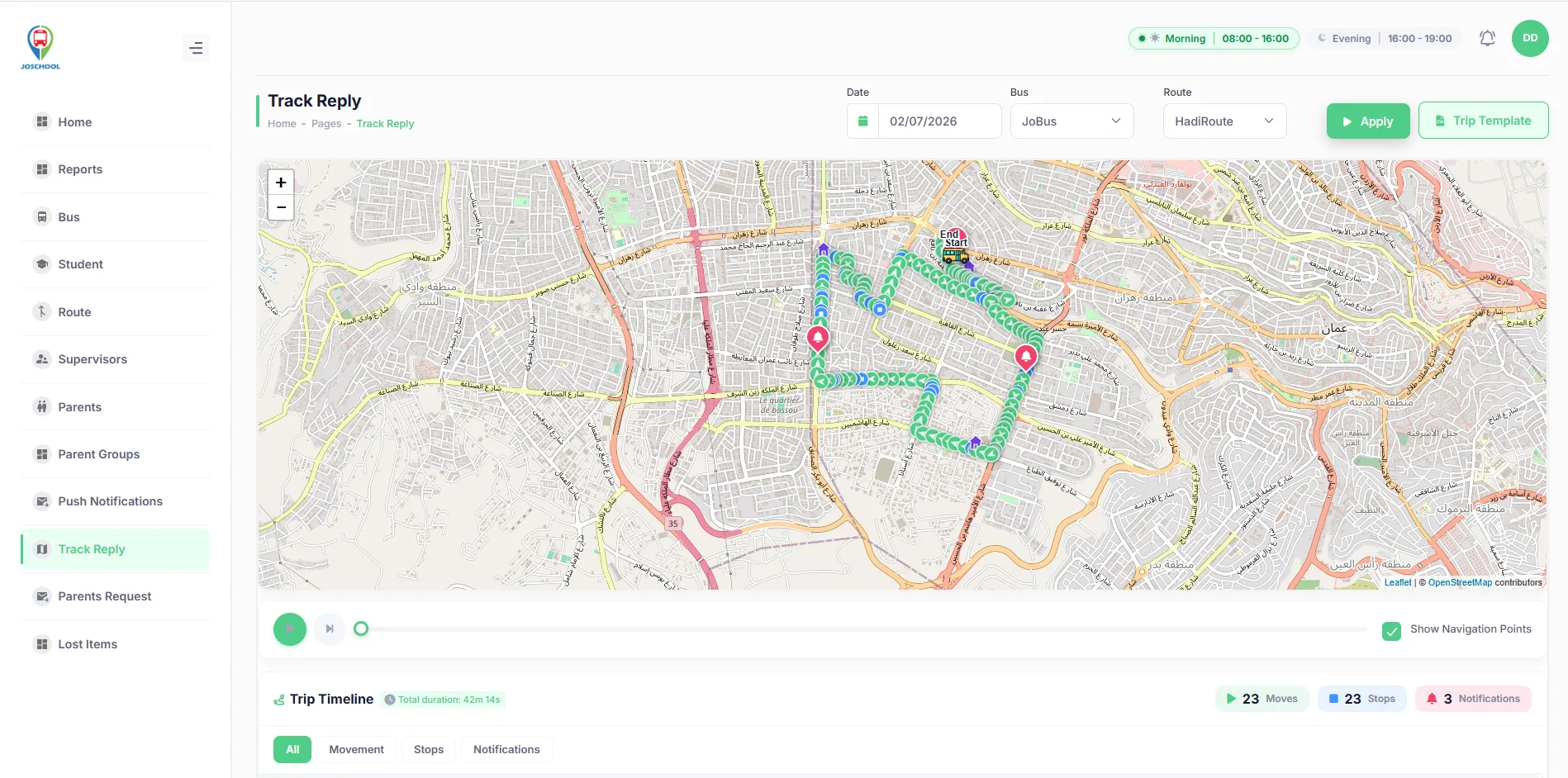
Replay any trip — the full GPS track with moves, stops, and notifications on a timeline.
In every pocket — parents and drivers
The Parents App keeps every family informed; the driver app runs the trip — iOS & Android, Arabic & English.
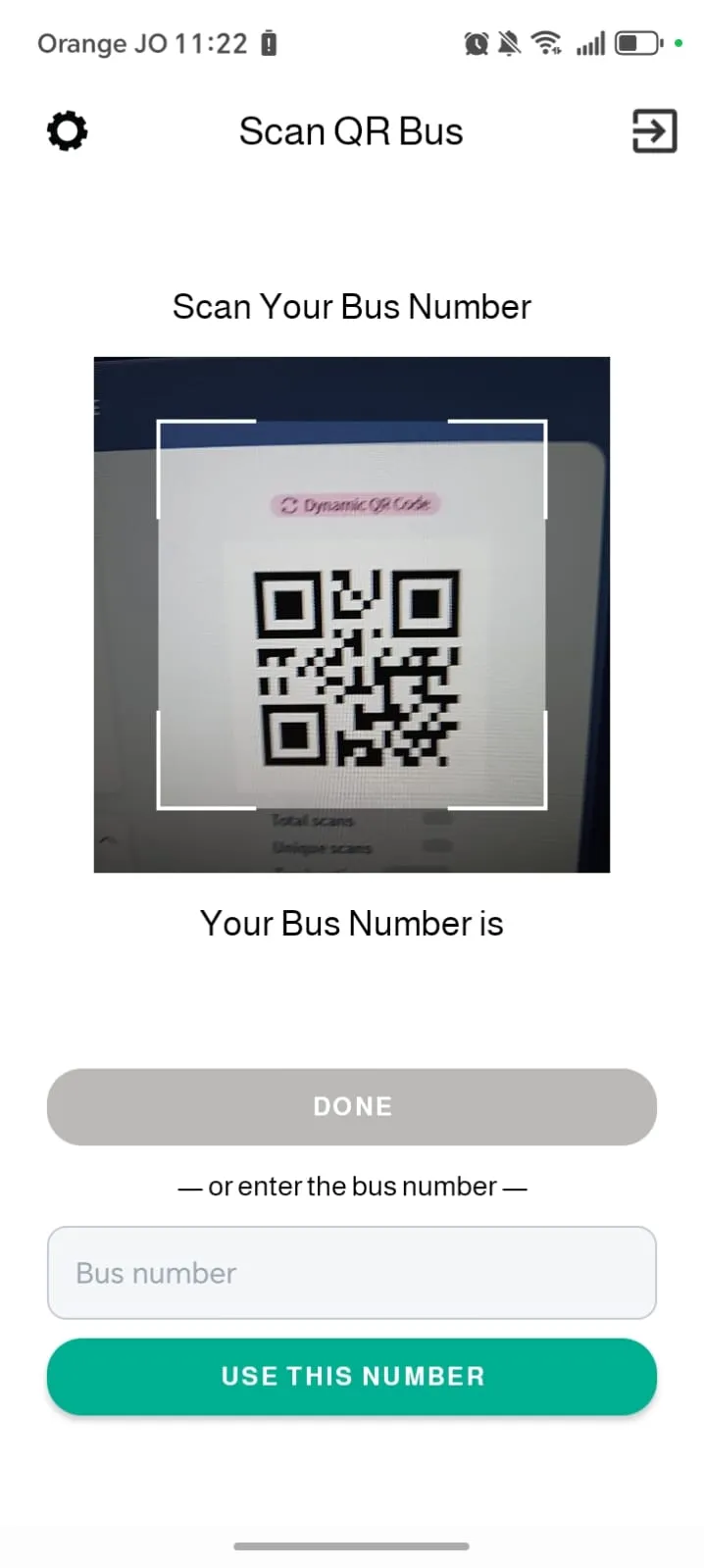
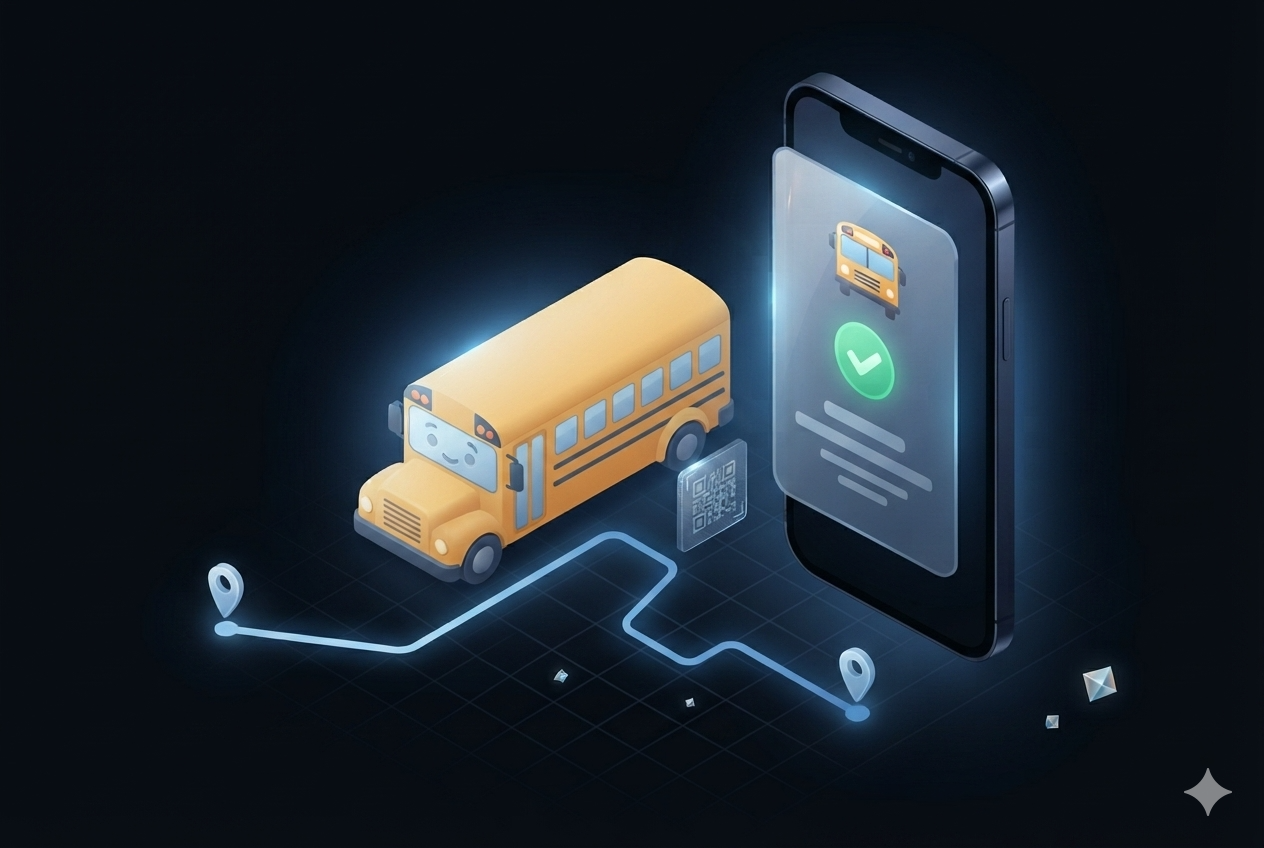
Every seat accounted for — automatically
Trips run themselves: the roster, the route and the roll call are all on the supervisor's screen. QR check-in and check-out records every boarding — and any child not where they should be is flagged instantly.
The school office sees the same live picture: optimized routes, per-bus oversight, and end-of-day reports without a single phone call.
Trusted by the schools parents trust.
One of the strongest companies in providing vehicle tracking solutions. I have been involved with them for more than 5 years and we use their system on more than 12 cars we own.
Parents and schools ask…
What if a child boards the wrong bus — or doesn't board at all?
QR check-in ties every boarding to a specific child on a specific bus. A missing or unexpected scan flags the supervisor immediately, and the parent sees their child's true status in the app at all times.
Is the app in Arabic?
Fully — Arabic and English side by side, for parents, drivers, supervisors and the school office alike.
Do we need special hardware on the buses?
A tracking unit per bus, installed and tested by certified technicians. Check-in works from the supervisor's device — students only need their QR card.
Who sees my child's data?
Only the school and the guardians the school authorizes. Data lives in the school's own workspace with role-based access and a full audit trail.
Can routes adapt when students are absent?
Yes — a one-tap absence removes the stop from that day's route automatically, saving time for every other family on the line.
What we collect, who sees it, and how long we keep it
Student transport data is held to a stricter standard than fleet data. These are the rules.
What is collected
The student’s name and assigned stop, the time they boarded and alighted, and which trip they were on. No academic records, no health data, nothing unrelated to transport.
Who can see it
The school sees its own students, within each staff member’s permissions. A parent sees their own child and no one else’s. A driver sees only the roster for the trip they are running.
How long it is kept
Trip and check-in records are kept for twelve months, then deleted. Long enough to review a full school year or revisit an incident — not long enough to hold a child’s movements indefinitely.
Give every parent a window seat.
Book a demo — we'll show you a live morning run, from the first QR scan to the last drop-off.